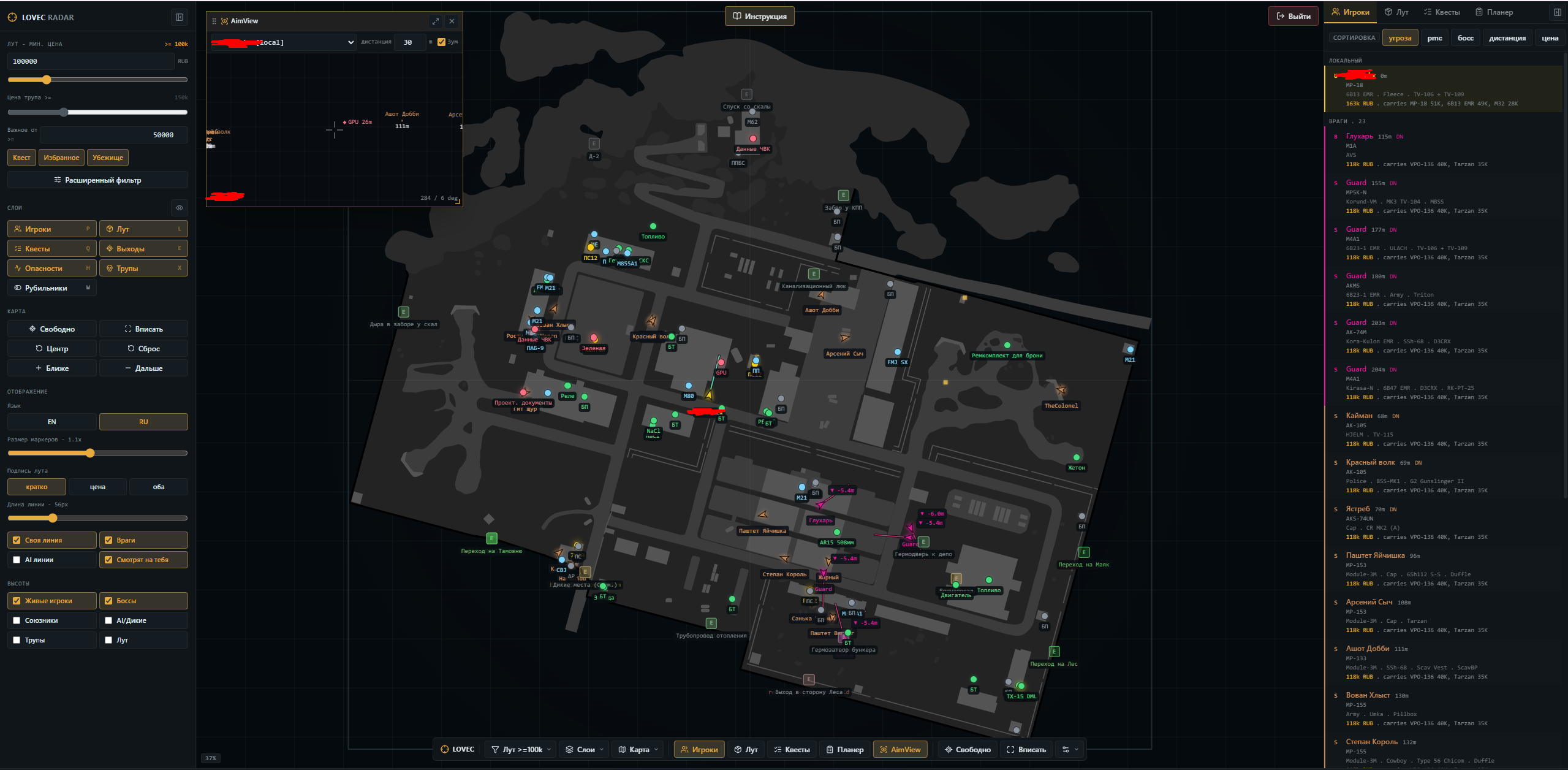
What an EFT browser radar is
LOVEC EFT Radar separates data collection from the display. The collector runs on the Windows computer, while the raid map opens as a web interface. This makes it possible to keep the map on a phone, tablet, laptop or second monitor instead of covering the game screen.
Players and raid context
The player layer combines map markers with a target list. It can display PMCs, Scavs, bosses and raiders, plus available direction and movement information. Filters let you reduce visual noise when the location becomes busy.
- PMCs, Scavs, bosses and raiders
- direction of view and movement
- target list and watchlist
- local and shared display filters
AimView for focused situational awareness
AimView opens as a separate compact window centered on the selected observation source. Set the working range in meters, then use target markers to read distance and relative direction. Sound alerts can be enabled separately. AimView is intended for situational awareness and is not an automatic aiming feature.
- selectable observation center
- configurable range in meters
- distance labels for visible targets
- relative direction and optional sound alerts
Loot filters instead of a wall of markers
Loot can be narrowed by value, category and price source. Quest items, hideout items, favorites and container contents can be inspected separately, which keeps the map readable during a raid.
- flea, trader and best price
- minimum value and category
- quest, favorite and hideout filters
- containers and corpse value
Quests, extracts and multi-floor maps
Quest zones, required items, hand-in hints, extracts and map switches are available next to the raid map. Height indicators and floor controls help separate objects that occupy the same horizontal position.
What to check before buying
Confirm the supported Windows build, prepare a USB drive and make sure the device used for the map has a current browser. Third-party tools can violate Escape from Tarkov rules, so no vendor can guarantee non-detection or protection from account restrictions.