Players and enemies
A separate map layer and target list for reading the current raid.
- PMCs, Scavs, bosses and raiders
- View and movement direction
- Player list, target selection and watchlist
- Local and shared display filters
LOVEC EFT RADAR
Track the raid map, AimView, players, loot, quests and extracts in a browser. Open the interface on a phone, tablet, laptop or second monitor.
DIGITAL ACCESS
The selected period starts after activation. Review compatibility before checkout.
Continue to checkout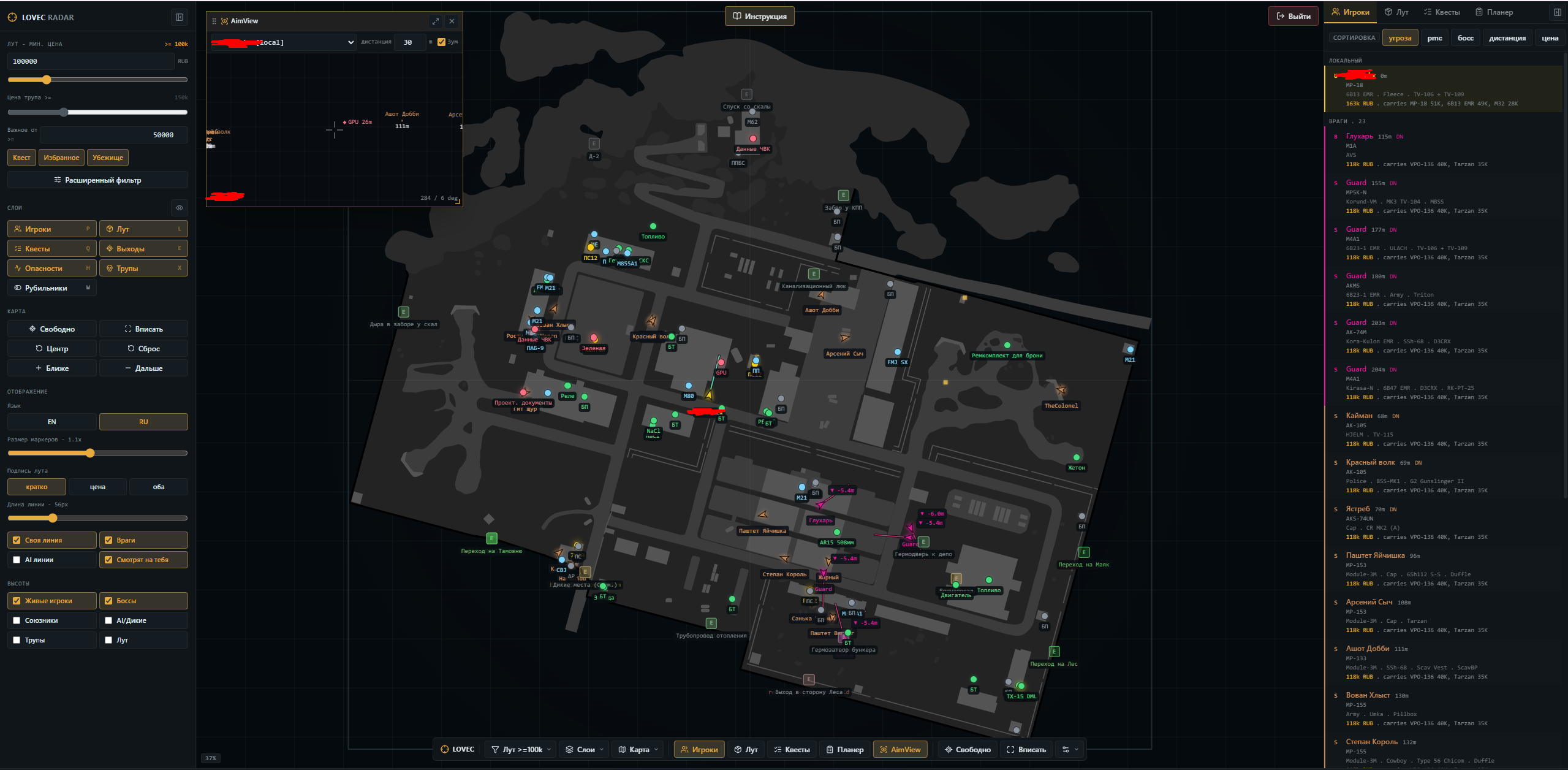
RADAR MODULES
The interface separates targets, loot and navigation into readable layers instead of placing everything in one list.
A separate map layer and target list for reading the current raid.
A compact observation window centered on the selected source, with range and relative target positions.
Find items through value, category and price-source filters.
Keep raid objectives, extracts and important map objects in one view.
ACTUAL INTERFACE
LAUNCH FLOW
Use the current loader and files supplied with your access.
Start the collector from USB and then launch Escape from Tarkov.
Enter the in-game nickname and open the current session on your chosen device.
FAQ
No. Open the browser map on a phone, tablet, laptop, second monitor or the main computer.
It displays players and enemies, loot, containers, quest objects, extracts, hazards and supported map floors.
AimView is a separate situational-awareness window centered on the selected observation source. It shows nearby targets, their distance and relative direction within a configurable range, with an optional sound alert. It does not aim or fire automatically.
Yes. An active session can be opened from a share link on another device or by a teammate.
Run the loader from a USB drive, connect the collector, start Escape from Tarkov and open the browser map with the in-game nickname.
No. Third-party software can violate game rules, and no product can guarantee non-detection or protection from account sanctions.